4  Show the Right Numbers

This chapter follows Chapter 4 of Healy (2026), translating the main plots to plotnine_polars. The main ideas carry over directly: grouping tells a geom how observations belong together, faceting splits one plot into a set of comparable panels, and several geoms compute summaries before drawing anything.

import polars as pl
import plotnine_polars as p9
from mizani.formatters import currency_format, percent_format
from plotnine.data import midwest as midwest_pd
from plotnine_polars import aes
from socviz_pl import load_data, theme_socviz

p9.theme_set(theme_socviz())
<plotnine.themes.theme_minimal.theme_minimal at 0x124a4d810>
gapminder = pl.read_csv(
    "https://raw.githubusercontent.com/jennybc/"
    "gapminder/main/inst/extdata/gapminder.tsv",
    separator="\t"
)
gss_sm = load_data("gss_sm")
midwest = pl.from_pandas(midwest_pd)
titanic = load_data("titanic")
oecd_sum = load_data("oecd_sum")

4.1 Colorless Green Data Sleeps Furiously

4.2 Grouped Data and the Group Aesthetic

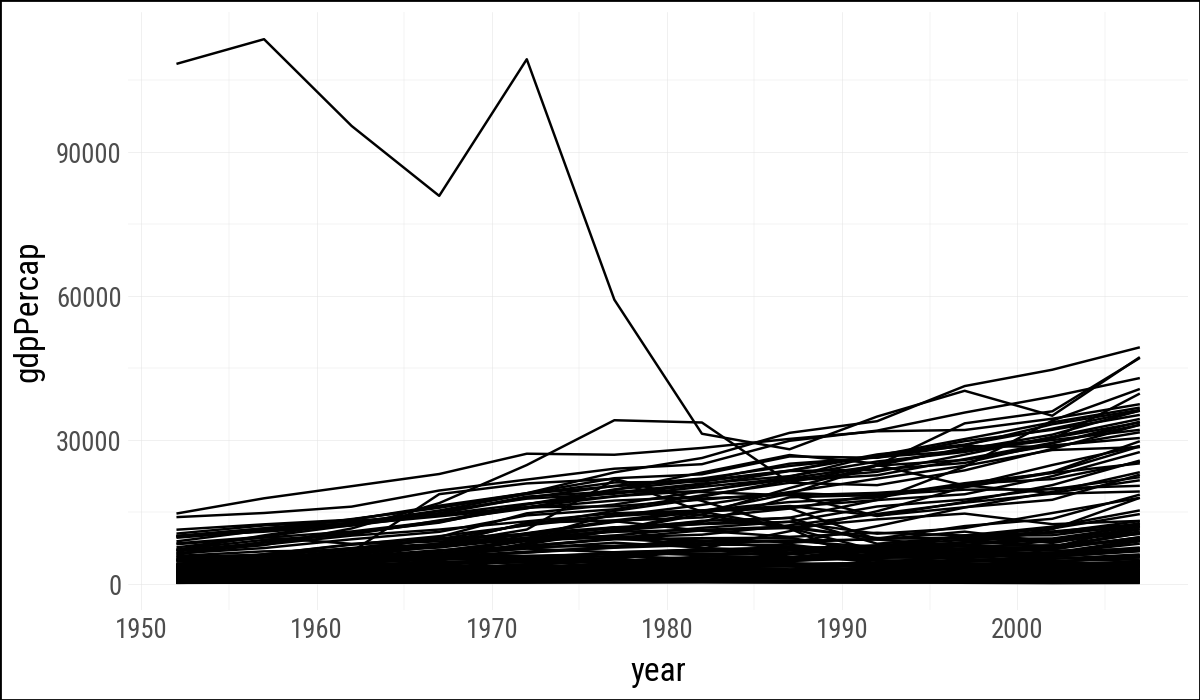
As in R, the line geom needs to know which observations should be connected. With the fluent API, the group mapping goes inside .geom_line() because it applies to the line layer.

(
    gapminder
    .ggplot(aes(x="year", y="gdpPercap"))
    .geom_line()
)
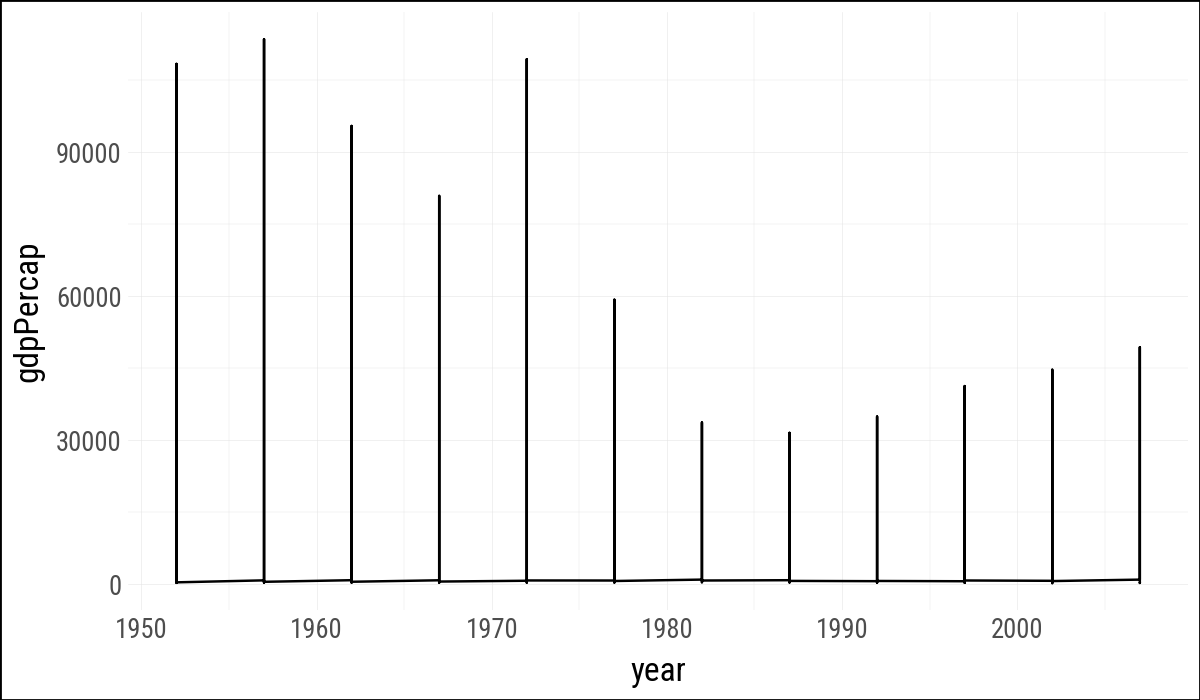
Figure 4.1: Trying and failing to plot the data over time by country.
(
    gapminder
    .ggplot(aes(x="year", y="gdpPercap"))
    .geom_line(aes(group="country"))
)
Figure 4.2: Plotting the data over time by country, again.

4.3 Facet to Make Small Multiples

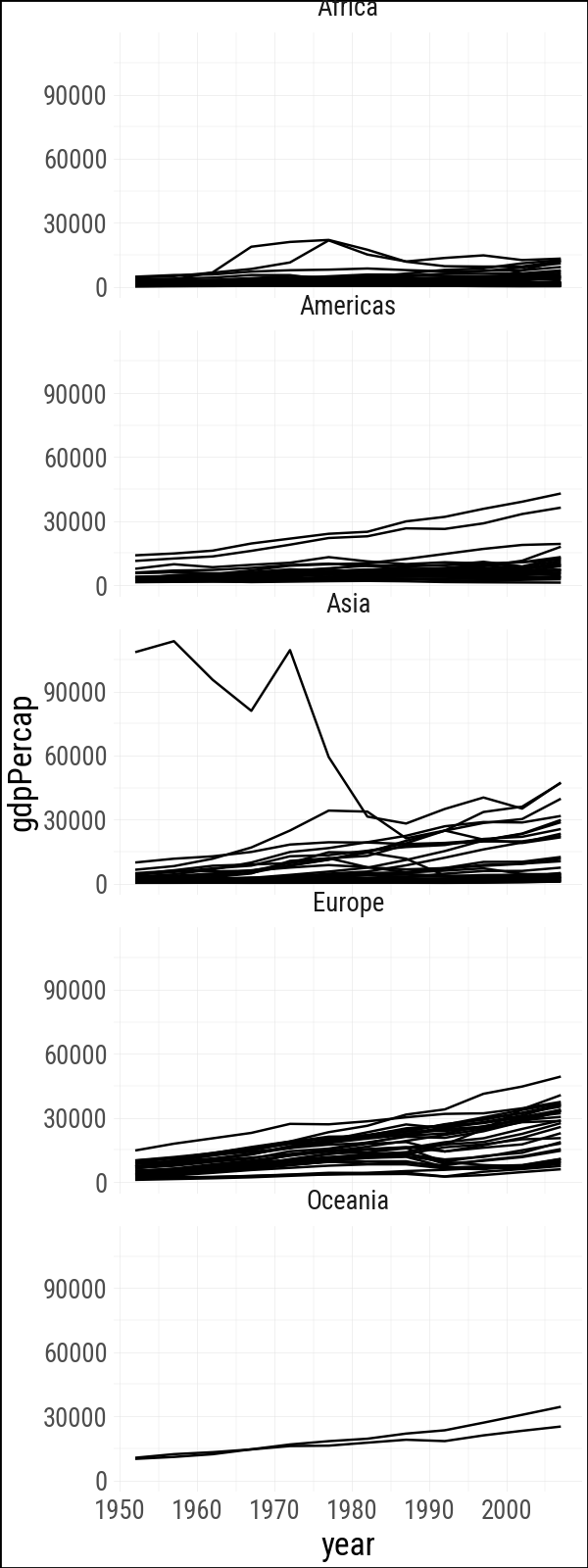
In R, the first argument to facet_wrap() is written as a one-sided formula, ~ continent. In plotnine_polars, we pass the column name as a string.

(
    gapminder
    .ggplot(aes(x="year", y="gdpPercap"))
    .geom_line(aes(group="country"))
    .facet_wrap("~ continent", ncol=1)
    .add_theme(figure_size=(3, 8))
)
Figure 4.3: Faceting by continent.

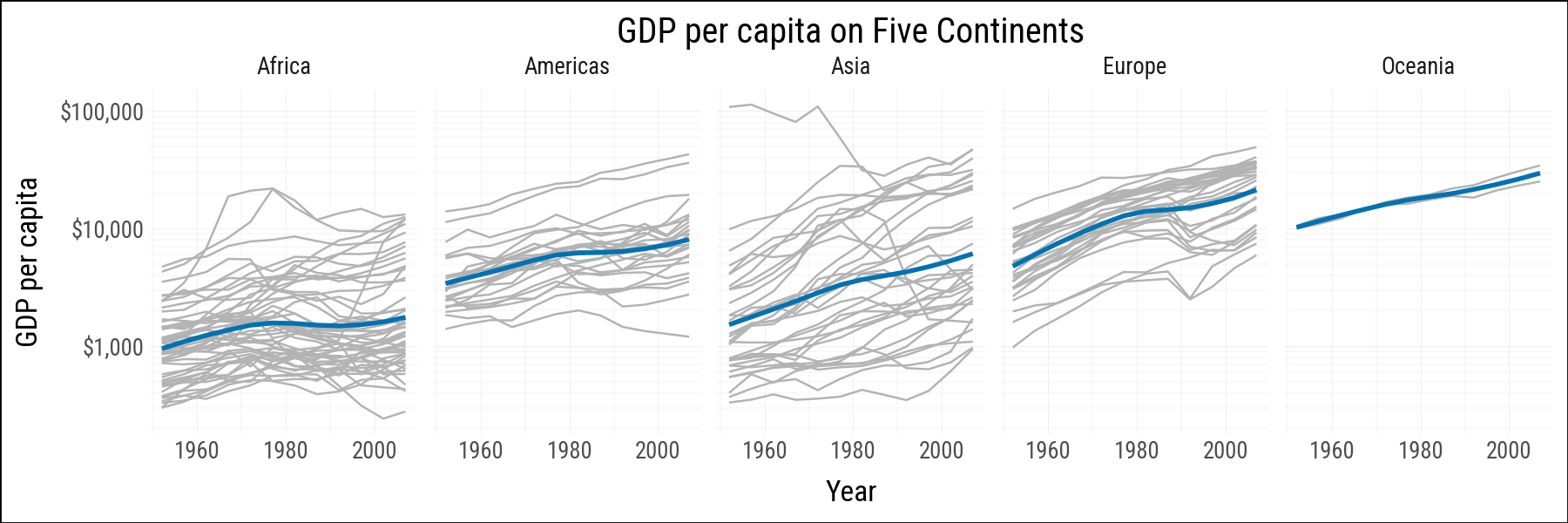
The color name gray70 used in R is not understood by matplotlib, which is underneath plotnine. The hex color #B3B3B3 is the equivalent shade.

(
    gapminder
    .ggplot(aes(x="year", y="gdpPercap"))
    .geom_line(aes(group="country"), color="#B3B3B3")
    .geom_smooth(size=1.1, method="loess", se=False, color="#0072B2")
    .scale_x_continuous(breaks = [1960, 1980, 2000])
    .scale_y_log10(labels=currency_format(precision=0, big_mark=","))
    .facet_wrap("continent", ncol=5)
    .labs(
        x="Year",
        y="GDP per capita",
        title="GDP per capita on Five Continents"
    )
    .add_theme(figure_size=(9, 3))
)
Figure 4.4: Faceting by continent, again.
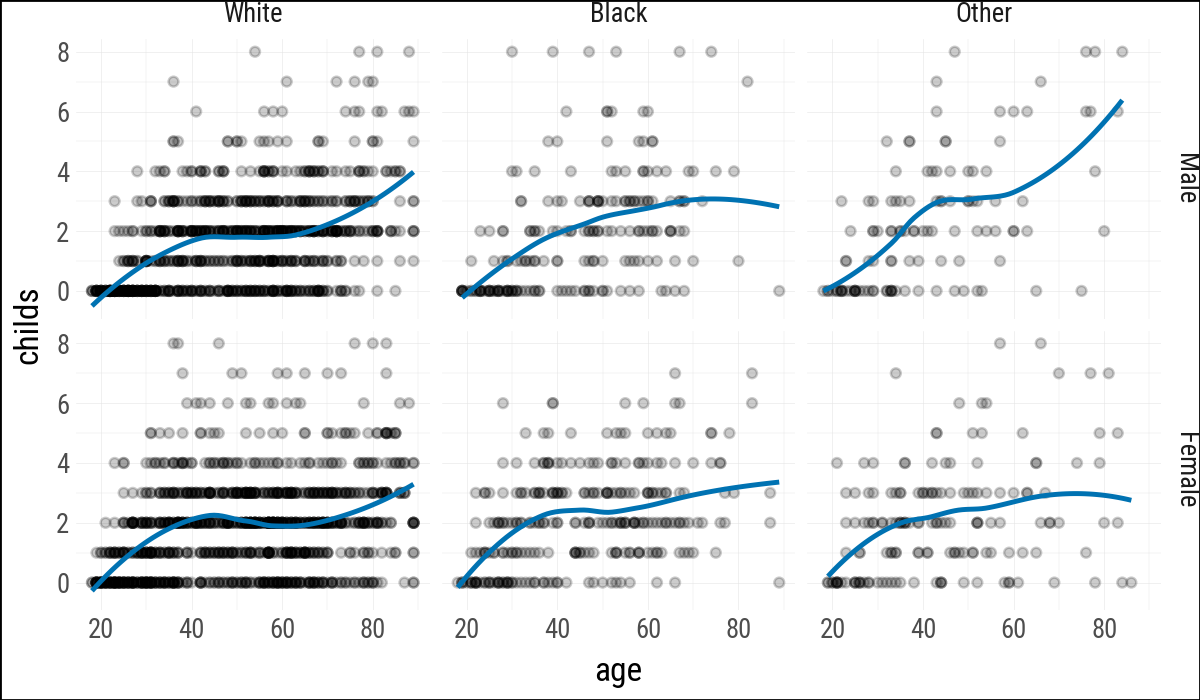
(
    gss_sm
    .ggplot(aes(x="age", y="childs"))
    .geom_point(alpha=0.2)
    .geom_smooth(method="loess", se=False, color="#0072B2")
    .facet_grid("sex ~ race")
)
Figure 4.5: Faceting on two categorical variables. Each panel plots the relationship between age and number of children, with the facets breaking out the data by sex (in the rows) and race (in the columns).

4.4 Geoms Can Transform Data

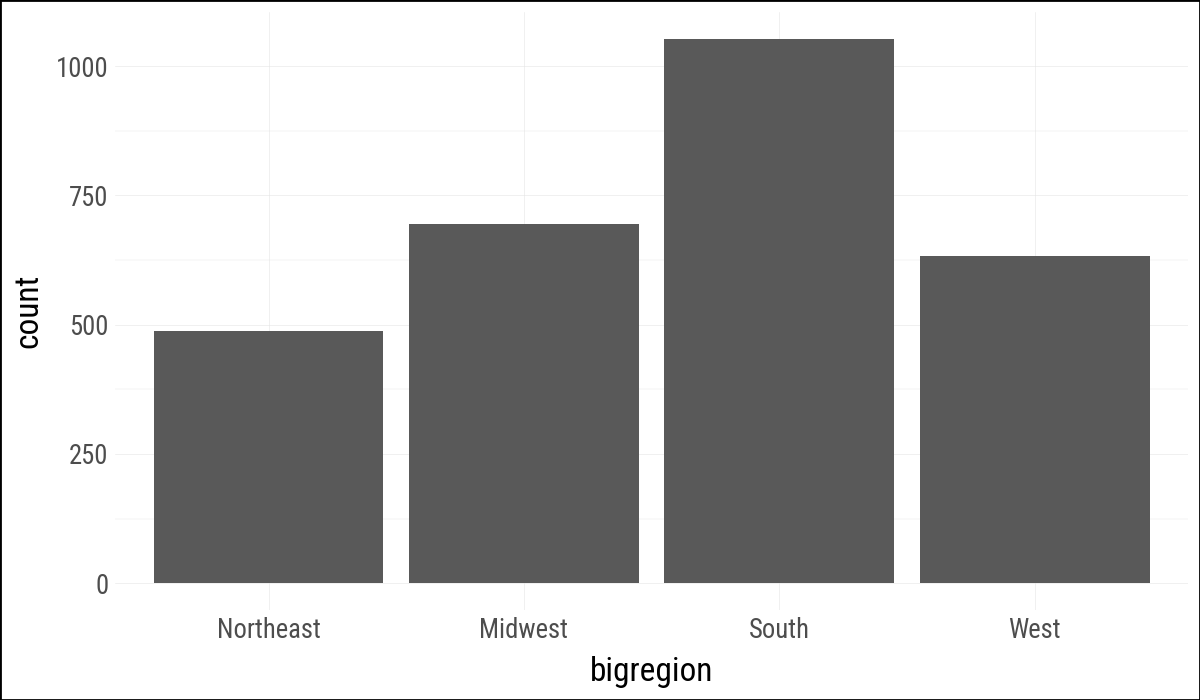
geom_bar() counts observations before drawing bars. This example is the direct translation of the R code, with bigregion mapped to x.

(
    gss_sm
    .ggplot(aes(x="bigregion"))
    .geom_bar()
)
Figure 4.6: A bar chart of GSS respondents by census region.

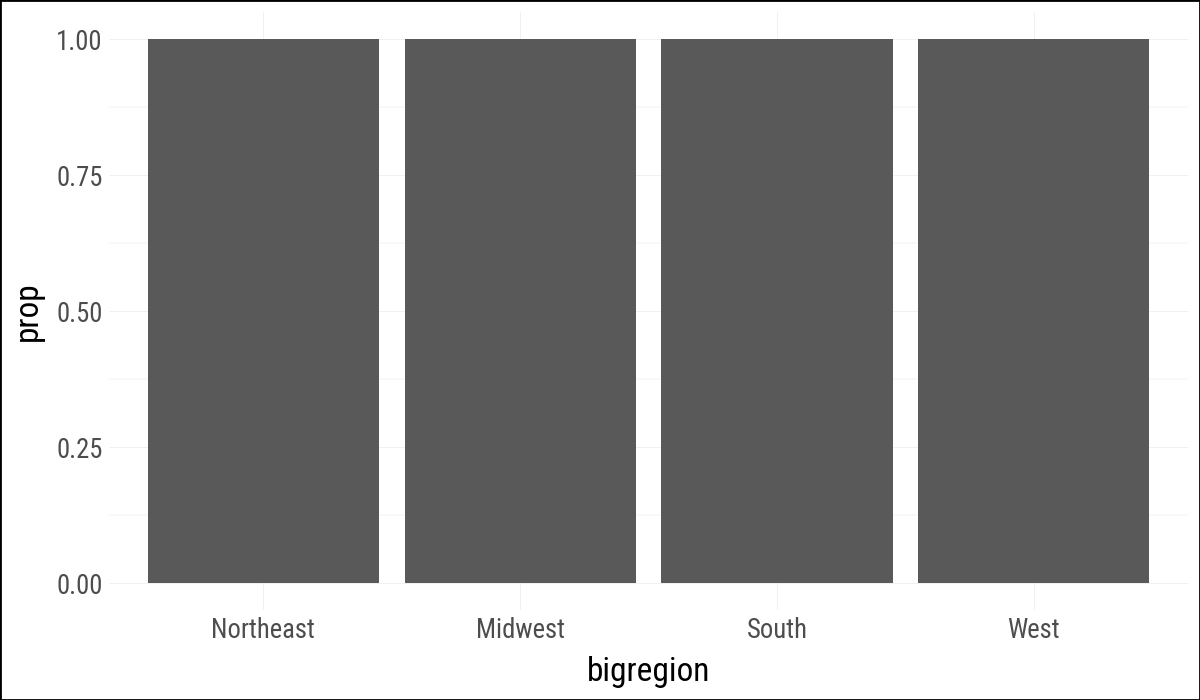
Modern plotnine uses after_stat("prop") where older ggplot examples often use ..prop...

(
    gss_sm
    .ggplot(aes(x="bigregion",
                y=p9.after_stat("prop")))
    .geom_bar()
)
Figure 4.7: A first go at a bar chart with proportions.

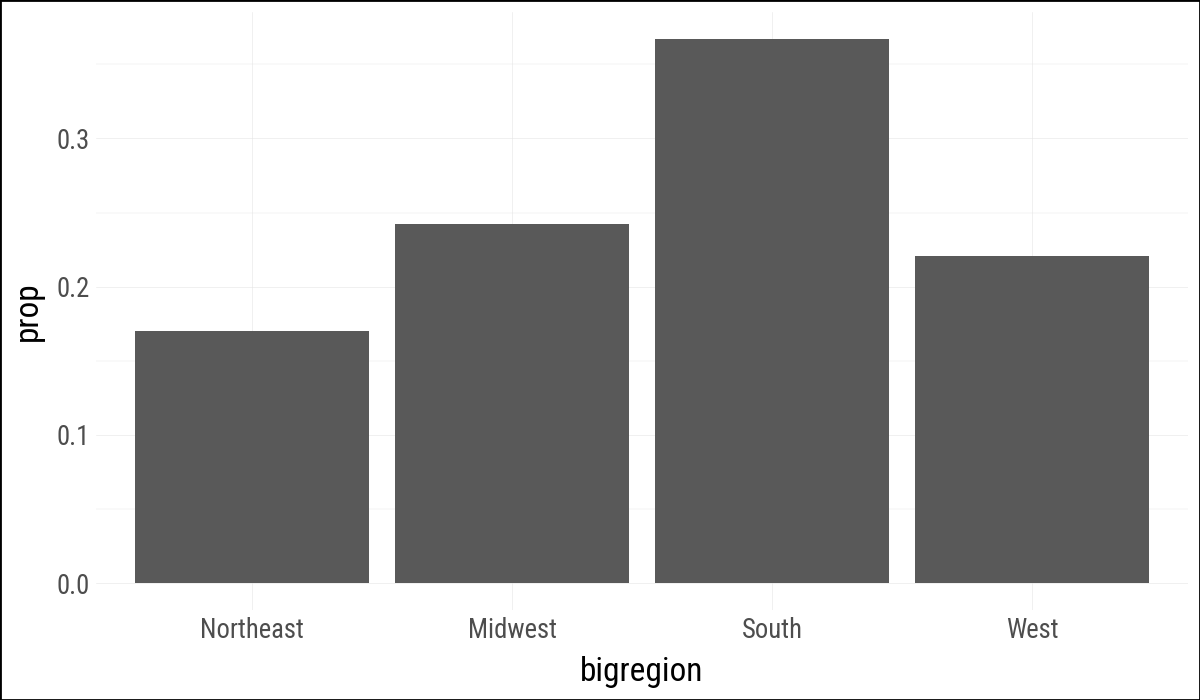
As in the R example, group=1 asks for proportions over the whole dataset rather than within each x value.

(
    gss_sm
    .ggplot(aes(x="bigregion",
                y=p9.after_stat("prop"),
                group=1))
    .geom_bar()
)
Figure 4.8: A bar chart with correct proportions.

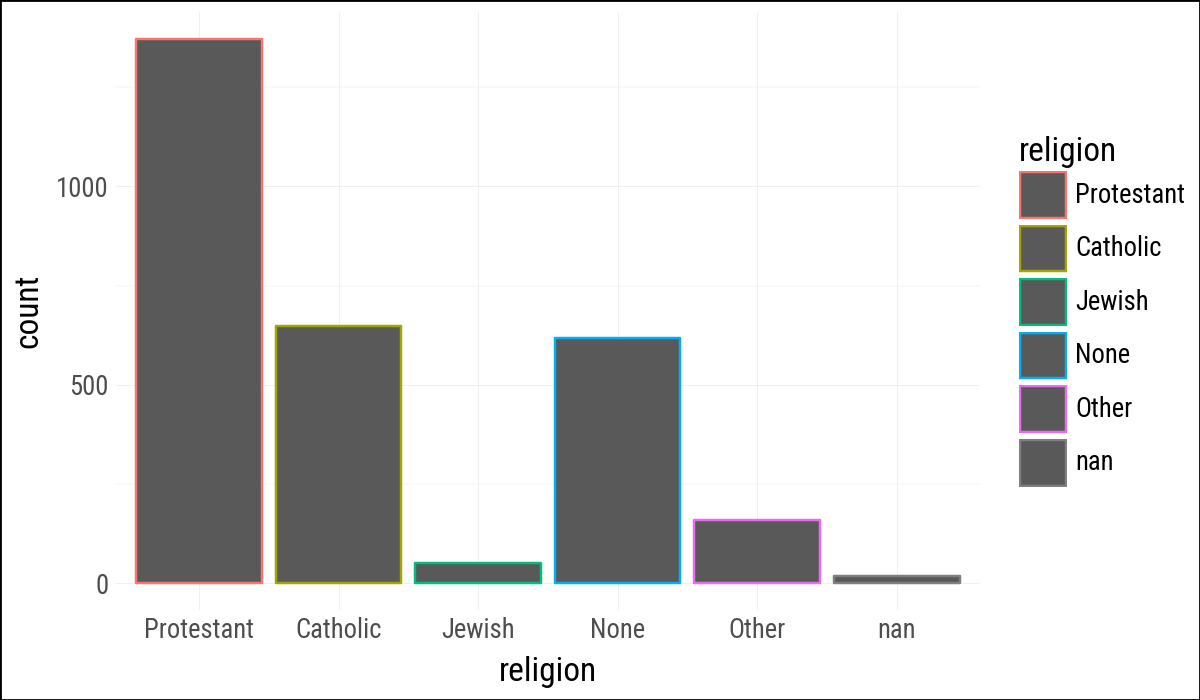
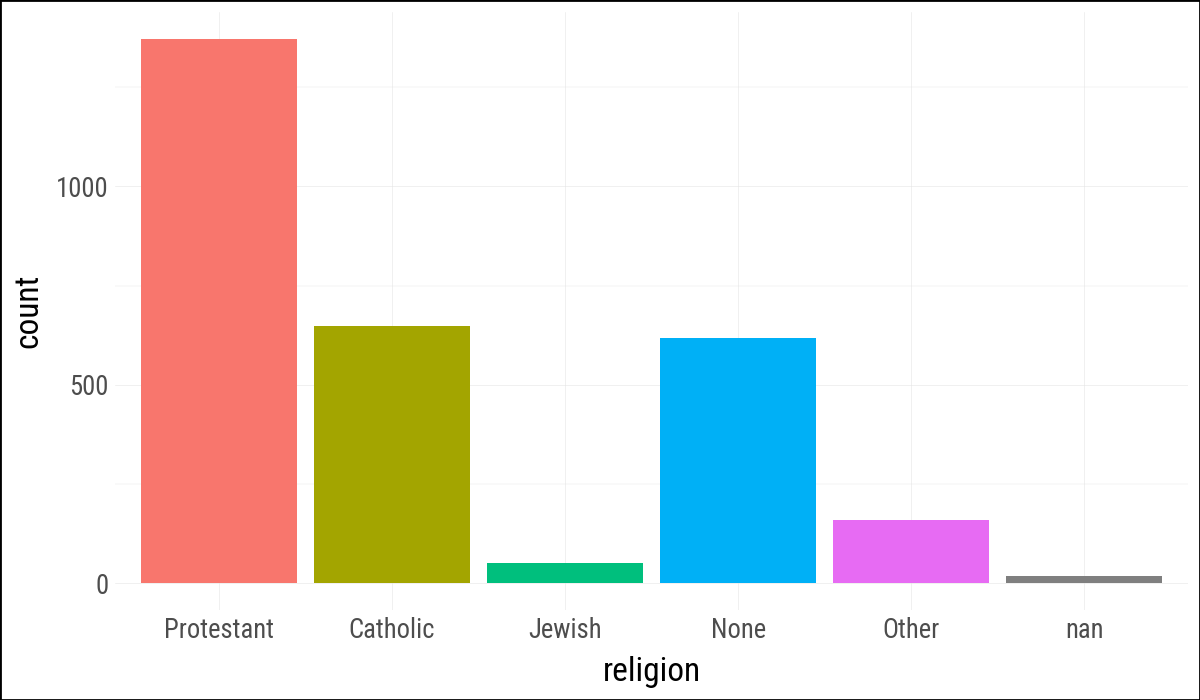
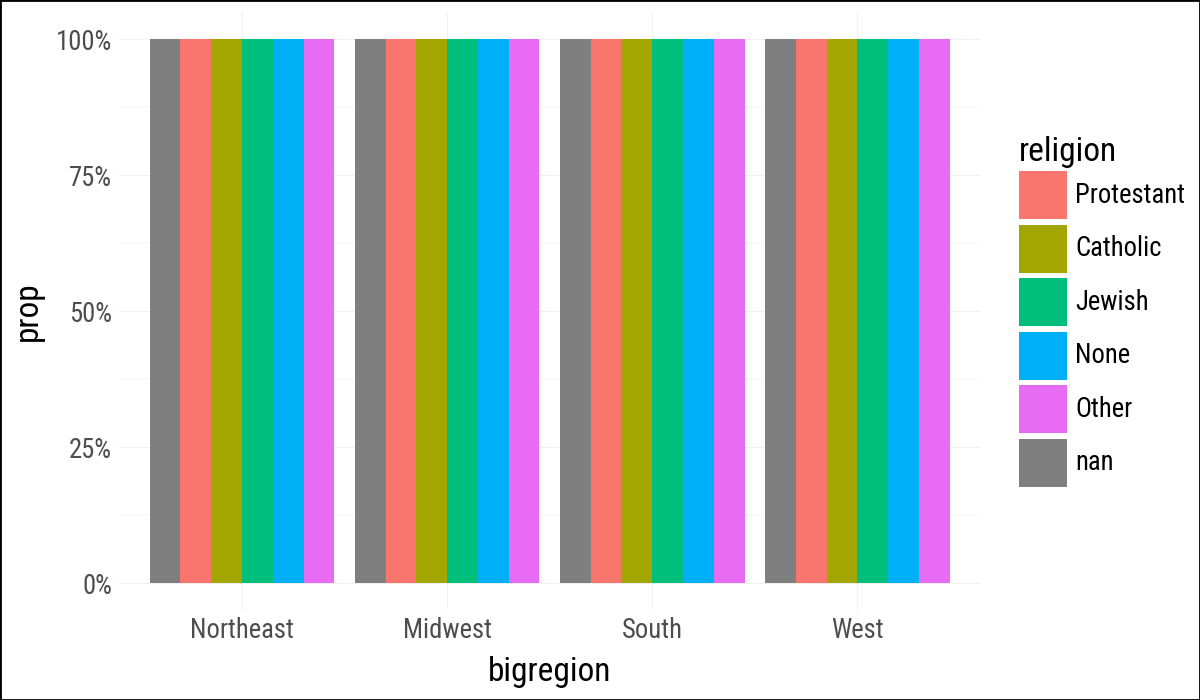
Mapping fill changes the interior of the bars. The fluent API uses .add_guides(fill="none") to suppress a redundant legend.

gss_sm.group_by("religion").agg(n=pl.len()).sort("n", descending=True)
shape: (6, 2)
religion n
enum u32
"Protestant" 1371
"Catholic" 649
"None" 619
"Other" 159
"Jewish" 51
null 18
(
    gss_sm
    .ggplot(aes(x="religion", color="religion"))
    .geom_bar()
).show()

(
    gss_sm
    .ggplot(aes(x="religion", fill="religion"))
    .geom_bar()
    .add_guides(fill="none")
).show()
(a)
(b)
Figure 4.9: GSS religious preference mapped to bar color (a) and fill (b).

4.5 Frequency Plots the Slightly Awkward Way

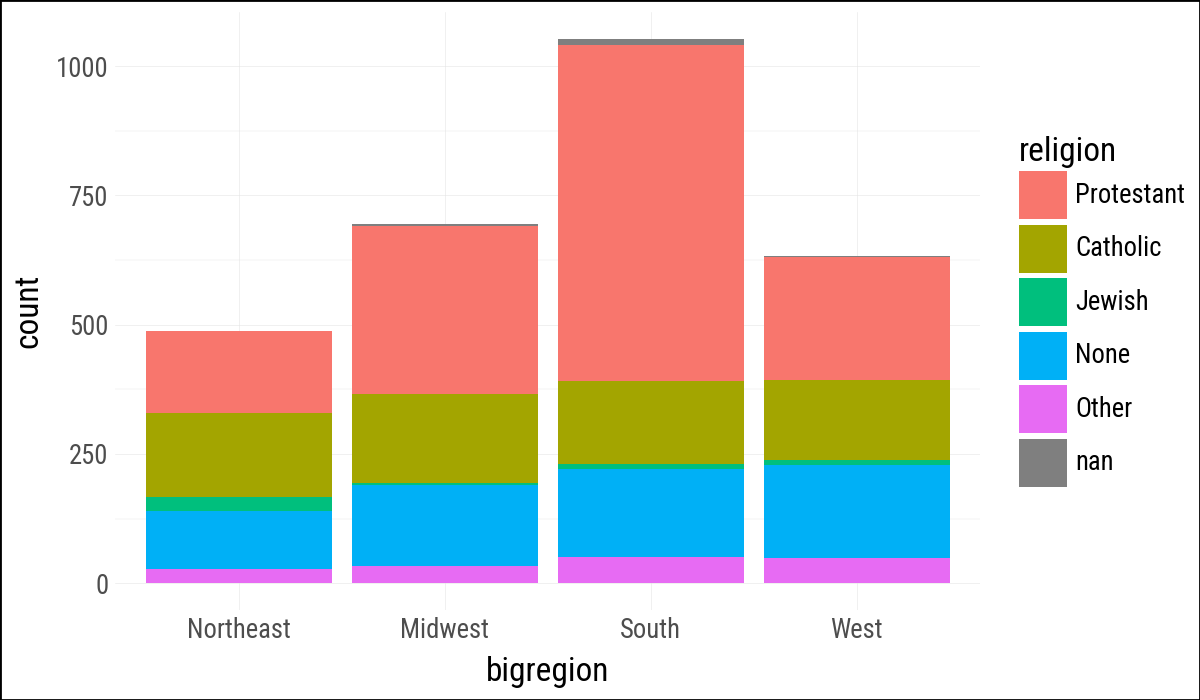
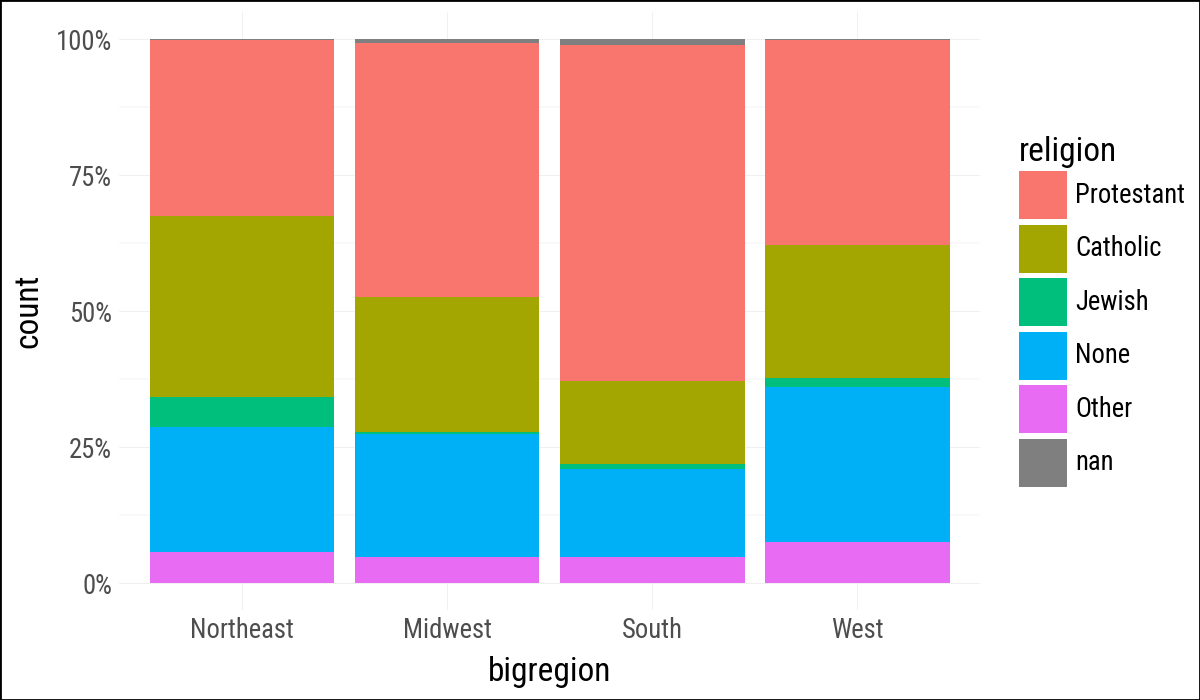
The stacked bar chart is direct. The position="fill" adjustment changes the scale from counts to within-bar proportions.

(
    gss_sm
    .ggplot(aes(x="bigregion", fill="religion"))
    .geom_bar()
)
Figure 4.10: A stacked bar chart of religious preference by census region.
(
    gss_sm
    .ggplot(aes(x="bigregion", fill="religion"))
    .geom_bar(position="fill")
    .scale_y_continuous(labels=percent_format())
)
Figure 4.11: Using the fill position adjustment to compare proportions across regions.

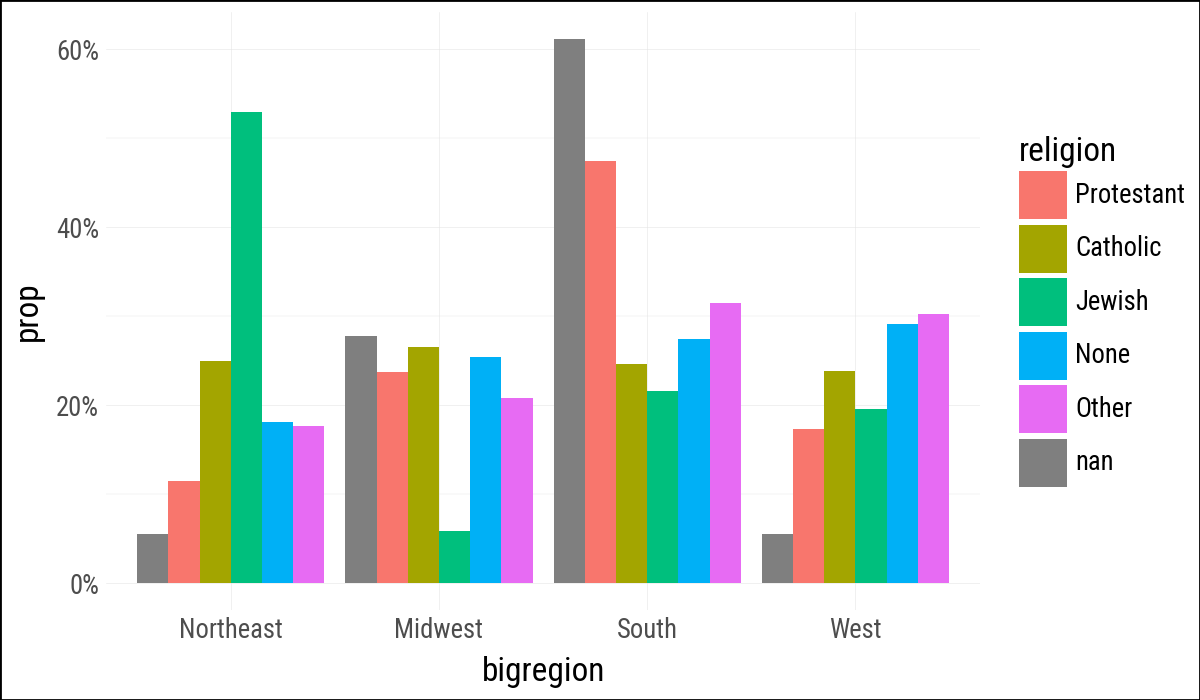
The next plot mirrors the book’s “not quite what we wanted” example. Grouping by religion makes the proportions add up across regions for each religion rather than within each region.

(
    gss_sm
    .ggplot(aes(x="bigregion", fill="religion"))
    .geom_bar(
        aes(y=p9.after_stat("prop")),
        position="dodge"
    )
    .scale_y_continuous(labels=percent_format())
)
Figure 4.12: A first go at a dodged bar chart with proportional bars.
(
    gss_sm
    .ggplot(aes(x="bigregion", fill="religion"))
    .geom_bar(
        aes(y=p9.after_stat("prop"), group="religion"),
        position="dodge"
    )
    .scale_y_continuous(labels=percent_format())
)
Figure 4.13: A second attempt as a dodged bar chart with proportional bars.

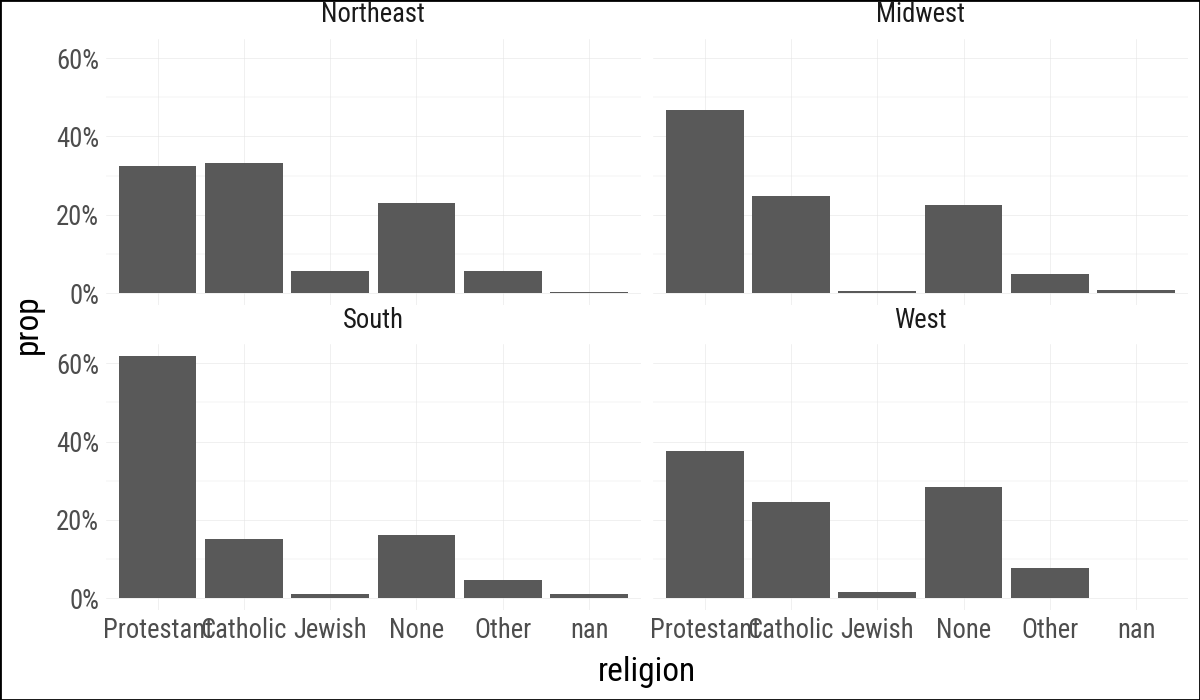
Faceting by region lets each panel calculate the proportions within the region.

(
    gss_sm
    .ggplot(aes(x="religion"))
    .geom_bar(
        aes(y=p9.after_stat("prop"), group="bigregion"),
        position="dodge"
    )
    .facet_wrap("bigregion", ncol=2)
    .scale_y_continuous(labels=percent_format())
)
Figure 4.14: Faceting proportions within region.

4.6 Histograms and Density Plots

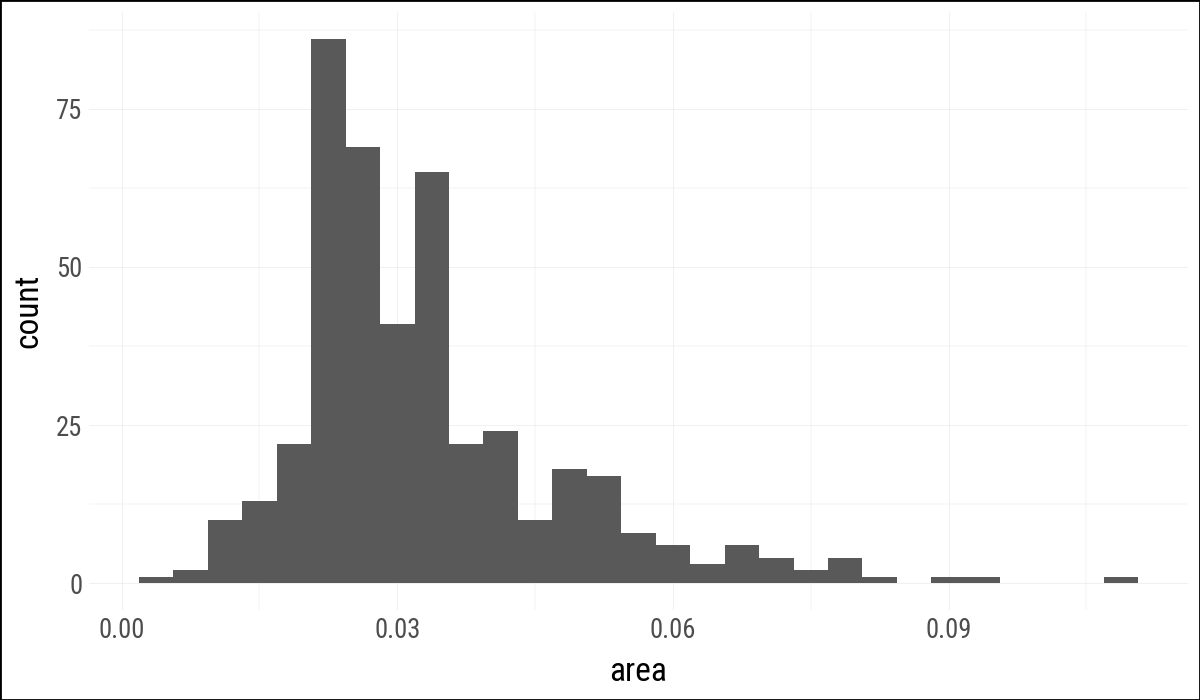
The midwest data is available from plotnine.data as a pandas data frame, so we convert it to Polars with pl.from_pandas().

(
    midwest
    .ggplot(aes(x="area"))
    .geom_histogram()
)
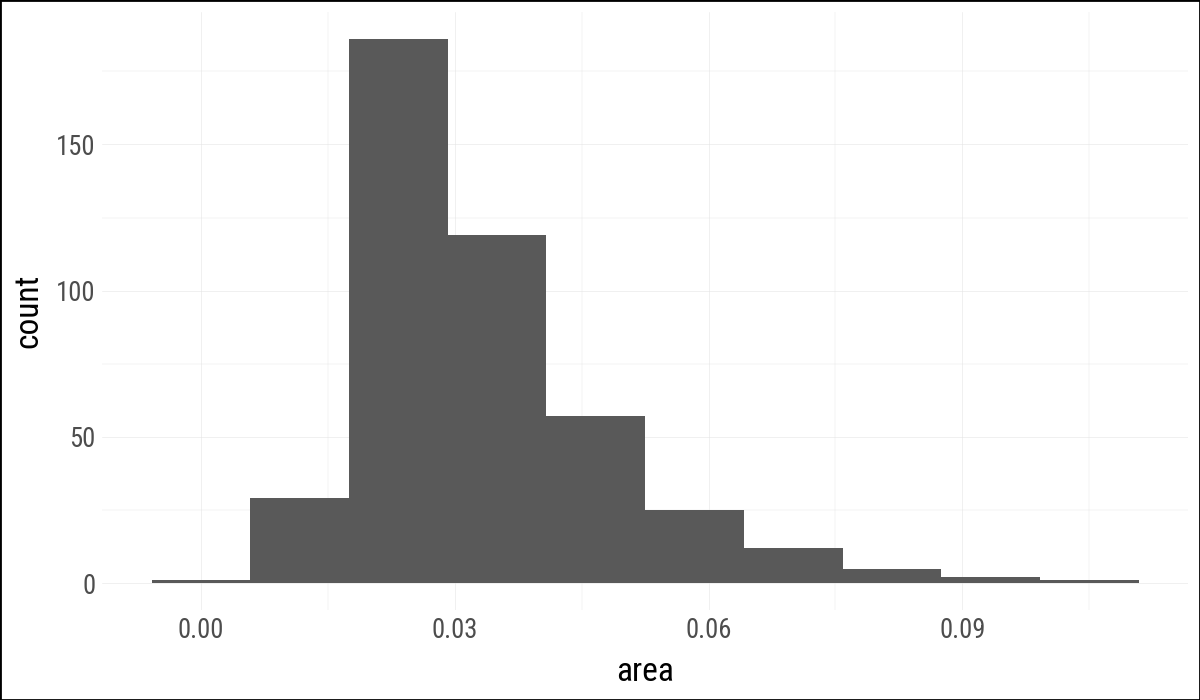
Figure 4.15: A histogram of county area using plotnine’s default bin choice.
(
    midwest
    .ggplot(aes(x="area"))
    .geom_histogram(bins=10)
)
Figure 4.16: The same county-area histogram using ten bins.

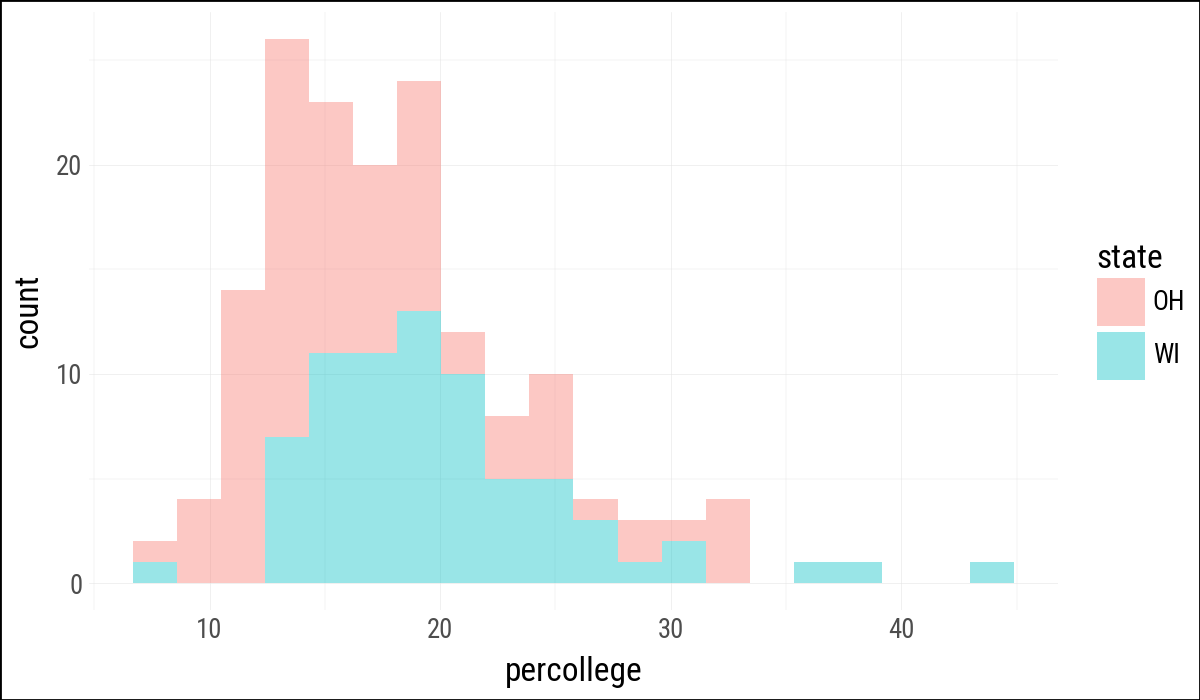
In Polars, filtering to more than one value uses .filter(pl.col("state").is_in([...])).

oh_wi = ["OH", "WI"]

(
    midwest
    .filter(pl.col("state").is_in(oh_wi))
    .ggplot(aes(x="percollege", fill="state"))
    .geom_histogram(alpha=0.4, bins=20)
)
Figure 4.17: Comparing percent college educated in Ohio and Wisconsin counties.
(
    midwest
    .ggplot(aes(x="area"))
    .geom_density()
)
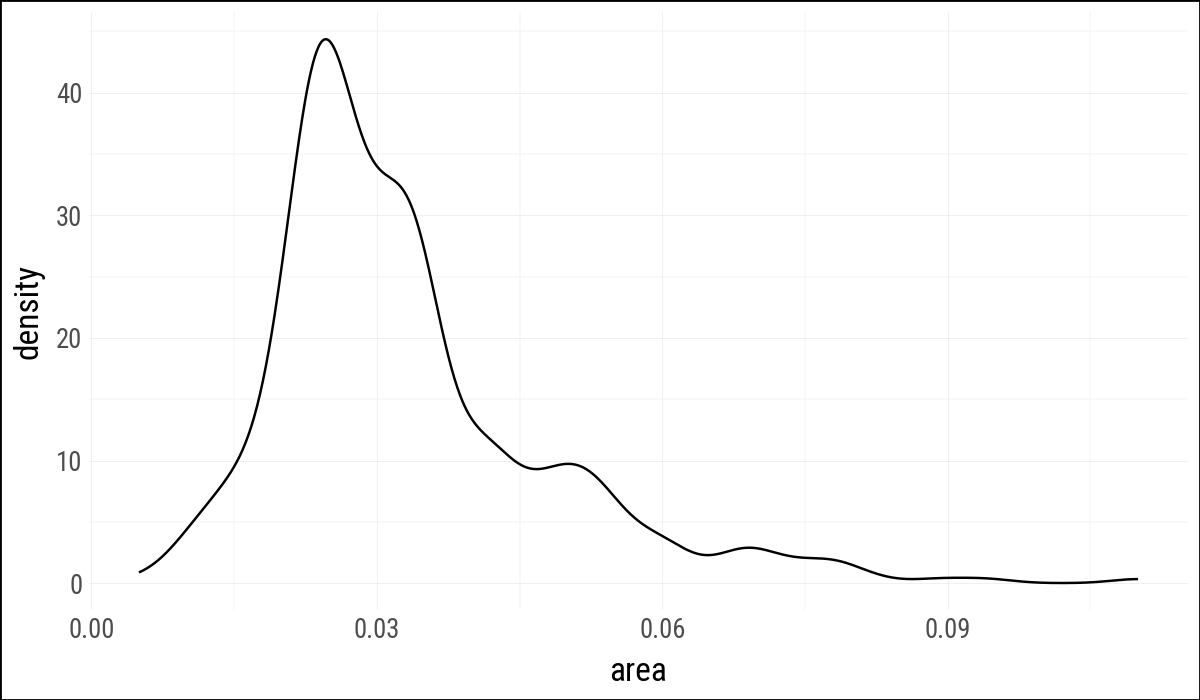
Figure 4.18: Kernel density estimate of county area.
(
    midwest
    .ggplot(aes(x="area", fill="state", color="state"))
    .geom_density(alpha=0.3)
)
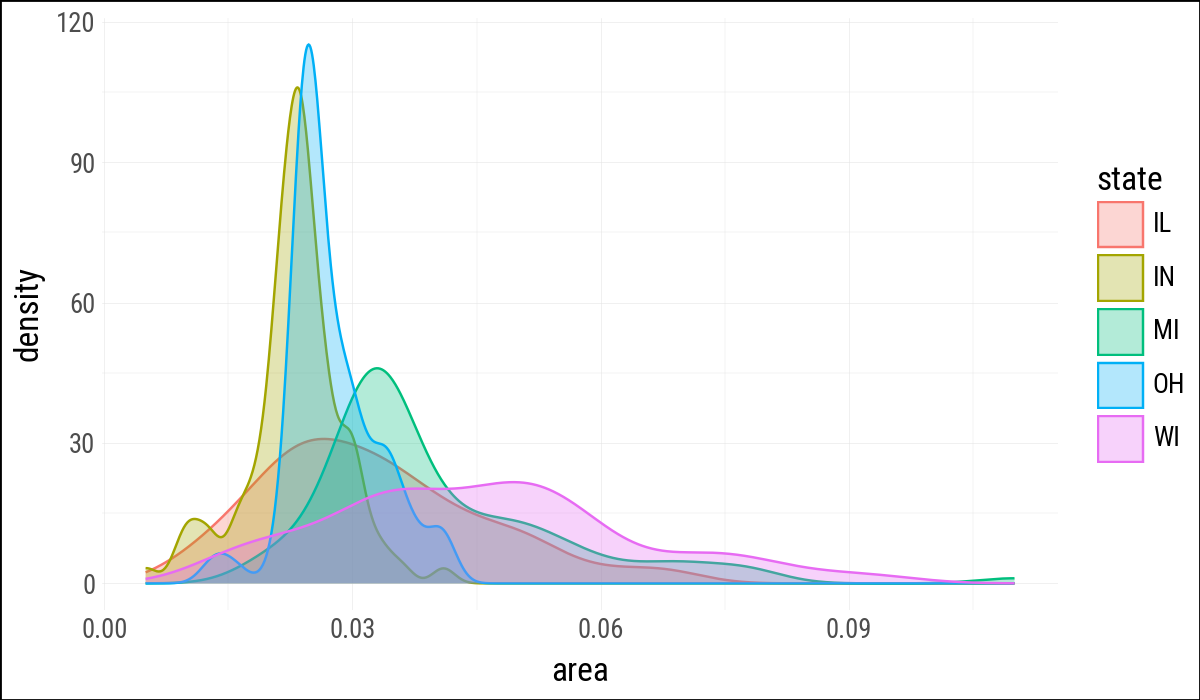
Figure 4.19: Comparing area distributions by state.

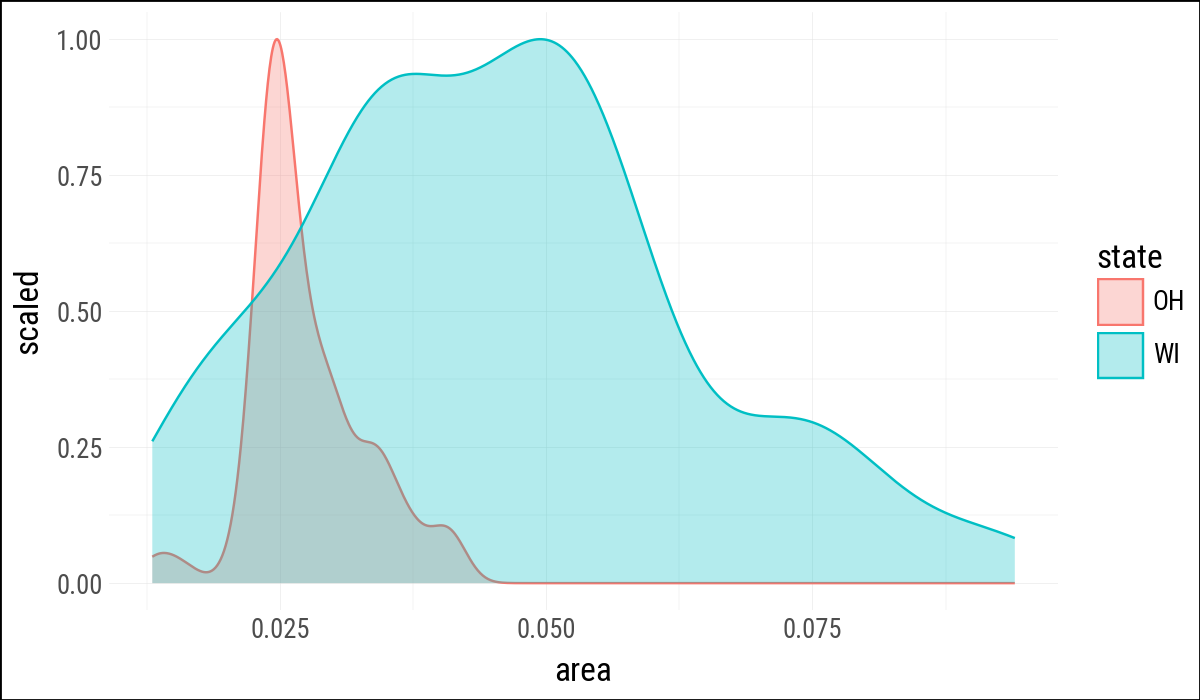
The density statistic also exposes computed values. Here p9.after_stat("scaled") is the plotnine form of the ggplot idiom ..scaled...

(
    midwest
    .filter(pl.col("state").is_in(oh_wi))
    .ggplot(aes(x="area", fill="state", color="state"))
    .geom_density(aes(y=p9.after_stat("scaled")), alpha=0.3)
)
Figure 4.20: Scaled density estimates for Ohio and Wisconsin counties.

4.7 Avoid Transformations When Necessary

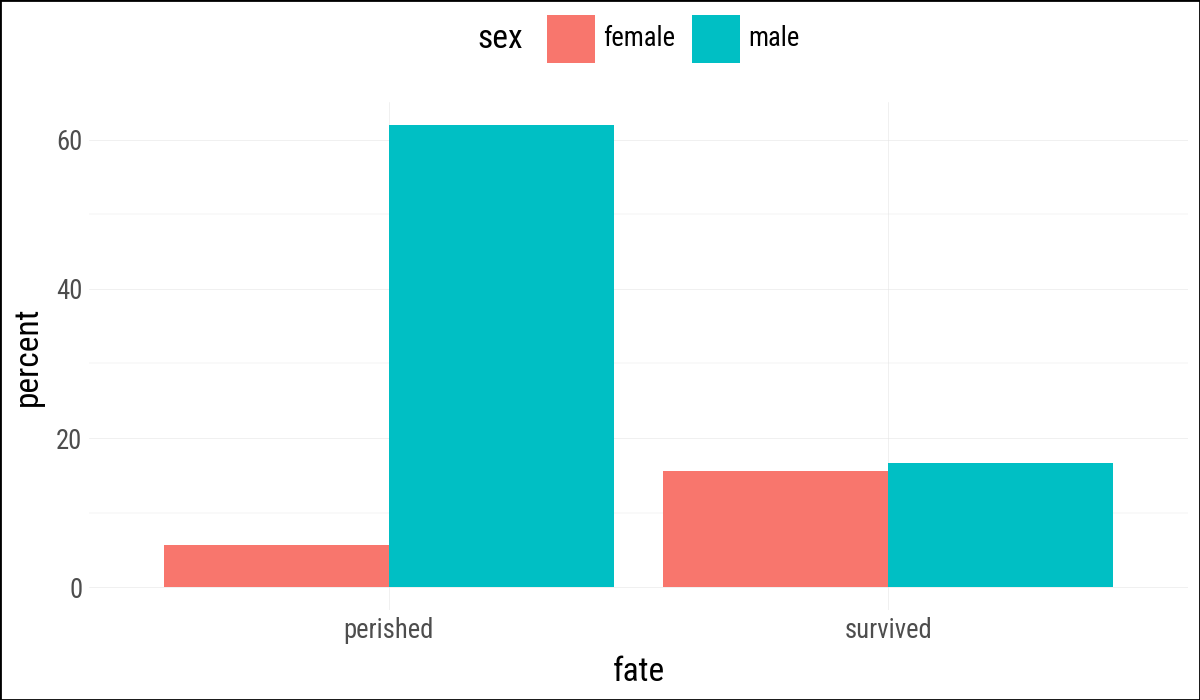
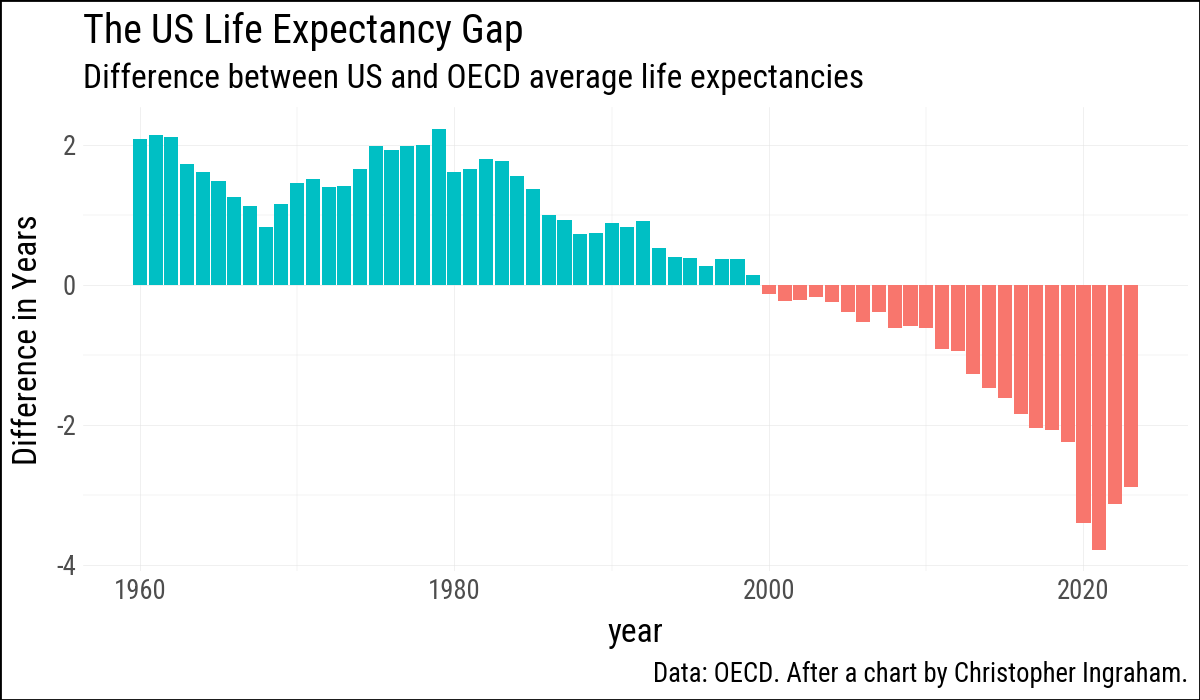
When the data already contains the values to draw, use .geom_col(). It is the convenient form of geom_bar(stat = "identity").

(
    titanic
    .ggplot(aes(x="fate", y="percent", fill="sex"))
    .geom_col(position="dodge")
    .add_theme(legend_position="top")
)
Figure 4.21: Survival on the Titanic, by sex.
(
    oecd_sum
    .ggplot(aes(x="year", y="diff", fill="hi_lo"))
    .geom_col()
    .add_guides(fill="none")
    .labs(
        x=None,
        y="Difference in Years",
        title="The US Life Expectancy Gap",
        subtitle="Difference between US and OECD average life expectancies",
        caption="Data: OECD. After a chart by Christopher Ingraham."
    )
)
Figure 4.22: Using geom_col() to plot negative and positive values in a bar chart.

4.8 Where to Go Next

The exercises in Healy (2026) mostly carry over. The main translation points are to use strings instead of formulas for facets, after_stat() for computed statistics, and Polars expressions such as .filter(pl.col("state").is_in(oh_wi)) for data preparation.